> ## Documentation Index
> Fetch the complete documentation index at: https://archie.com/docs/llms.txt
> Use this file to discover all available pages before exploring further.
# Event Bus
> Publish an event once and deliver it to many places at the same time. Create topics, add routes with a two-step wizard — to a queue, a REST endpoint, or GraphQL — filter by event type, and watch every delivery in the Activity tab.
The **Event Bus** lets your app announce that something happened — an order was created, a user signed up — and have that single announcement delivered to **every interested route at once**. You publish one event to a **topic**; each **route** on that topic receives its own copy and delivers it to its target.
Open **Backend → App Services → Event Bus** to manage it.
Topics and routes are per **environment**. Publishing to the `orders` topic in `development` never reaches routes in `production`.
The panel calls these connections **routes**. The underlying GraphQL API still names the operations after the older term, **subscription** (`createSubscription`, `subscriptions`, and so on) — see the [reference](/docs/features/backend/app-services/queues-and-event-bus/reference) if you're calling the API directly.
## The three pieces
| Piece | What it is |
| --------- | -------------------------------------------------------------------------------------------------------------------------------------- |
| **Topic** | A named channel you publish events to (e.g., `orders`, `users`). |
| **Event** | A single announcement: an **event type** (e.g., `orders.created`) plus a JSON **payload**. |
| **Route** | A rule attached to a topic that says *"when an event matches this filter, deliver it here"* — to a queue, a REST endpoint, or GraphQL. |
One topic can have many routes, and each gets an **independent copy** of every matching event. That independence is the whole point: a slow or failing route never affects the others.
## Topics
The Event Bus landing view lists your topics in a table — **Name**, **Events (24 h)**, **Routes**, and **Failed** (the number of failing deliveries, so an unhealthy topic stands out at a glance) — plus a per-row actions menu. Creating a topic needs only a name (retention lives under Advanced settings).
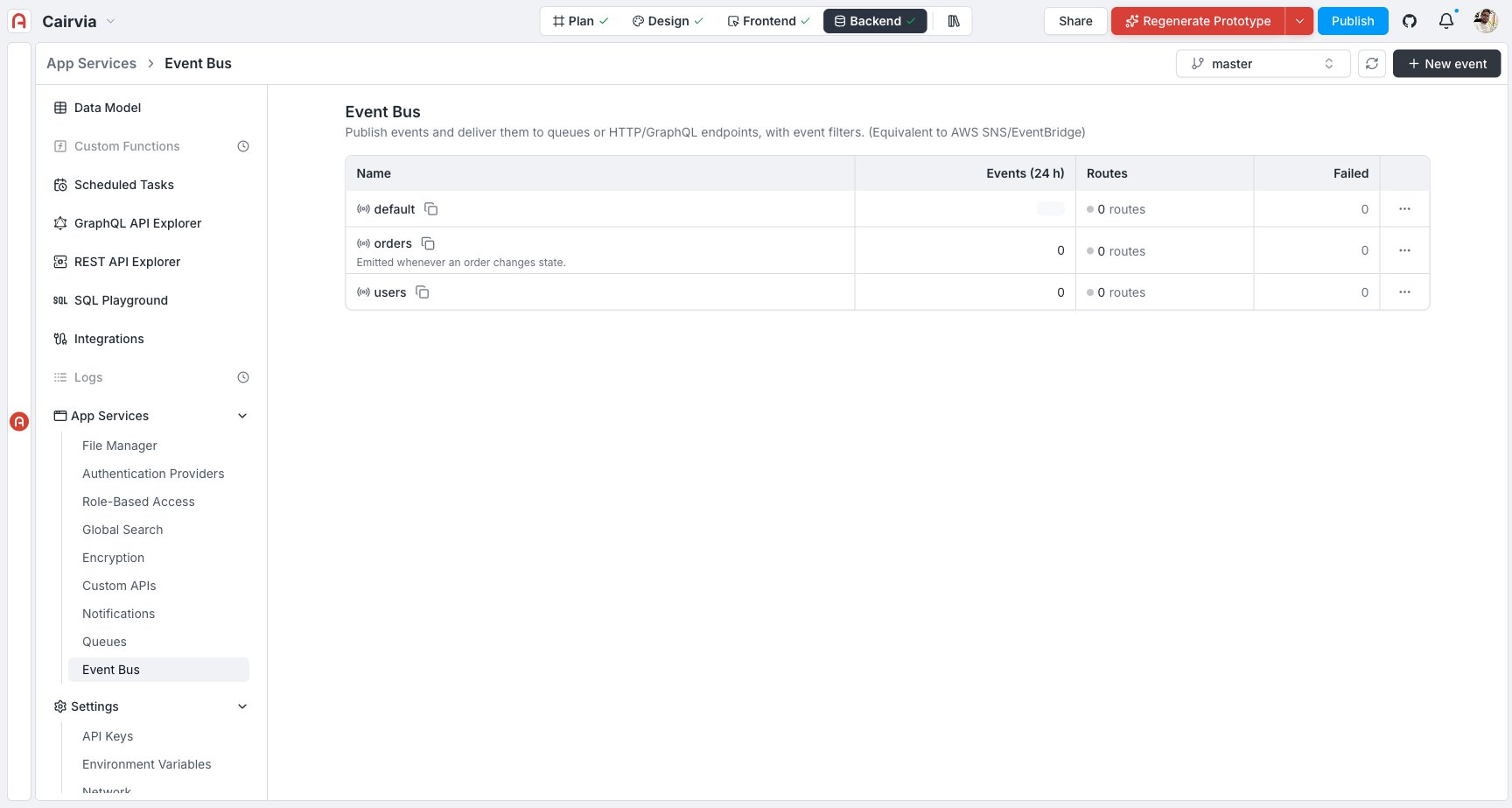 Click **New event**, give it a name, and create it. The button is labeled "New event," but what it creates — and what the drawer calls it throughout — is a **topic**: "the publish point that routes connect to." The infrastructure is provisioned automatically for this environment.
Click the topic to open its detail, which has four tabs: **Routes**, **Tests**, **Connect**, and **Activity**.
## Add a route (the two-step wizard)
The route wizard is the heart of the Event Bus. It answers two questions.
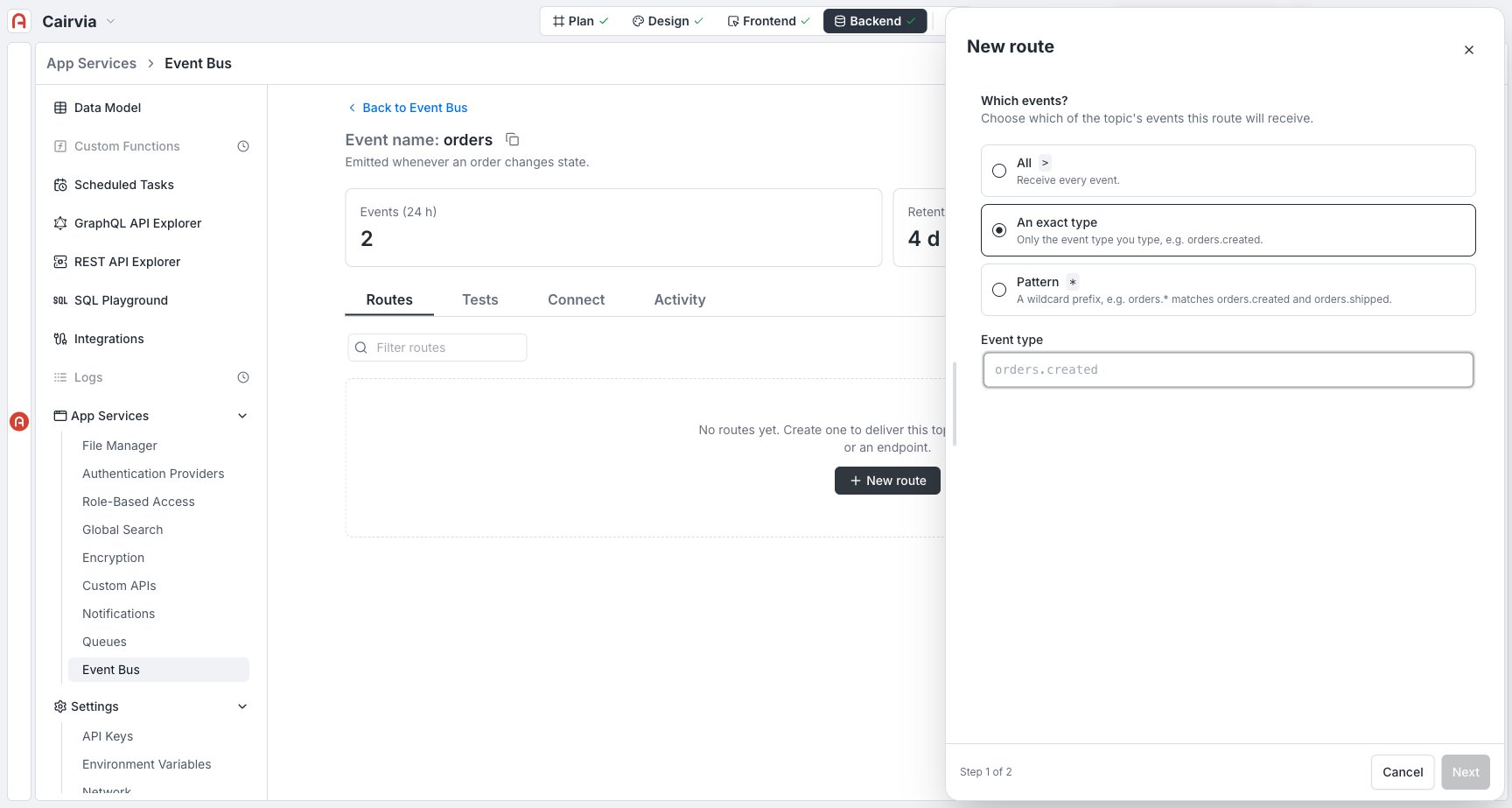
### Step 1 — Which events?
Choose which events this route reacts to:
| Mode | Matches | Example |
| ----------------- | -------------------------- | -------------------------------------------------------- |
| **All** | Every event on the topic. | `orders.created`, `orders.shipped`, … |
| **An exact type** | Only the type you name. | only `orders.created` |
| **Pattern** | A single-segment wildcard. | `orders.*` matches `orders.created` and `orders.shipped` |
Click **New event**, give it a name, and create it. The button is labeled "New event," but what it creates — and what the drawer calls it throughout — is a **topic**: "the publish point that routes connect to." The infrastructure is provisioned automatically for this environment.
Click the topic to open its detail, which has four tabs: **Routes**, **Tests**, **Connect**, and **Activity**.
## Add a route (the two-step wizard)
The route wizard is the heart of the Event Bus. It answers two questions.
### Step 1 — Which events?
Choose which events this route reacts to:
| Mode | Matches | Example |
| ----------------- | -------------------------- | -------------------------------------------------------- |
| **All** | Every event on the topic. | `orders.created`, `orders.shipped`, … |
| **An exact type** | Only the type you name. | only `orders.created` |
| **Pattern** | A single-segment wildcard. | `orders.*` matches `orders.created` and `orders.shipped` |
 ### Step 2 — Where should it go?
Pick a target: **Queue**, **REST**, or **GraphQL**.
### Step 2 — Where should it go?
Pick a target: **Queue**, **REST**, or **GraphQL**.
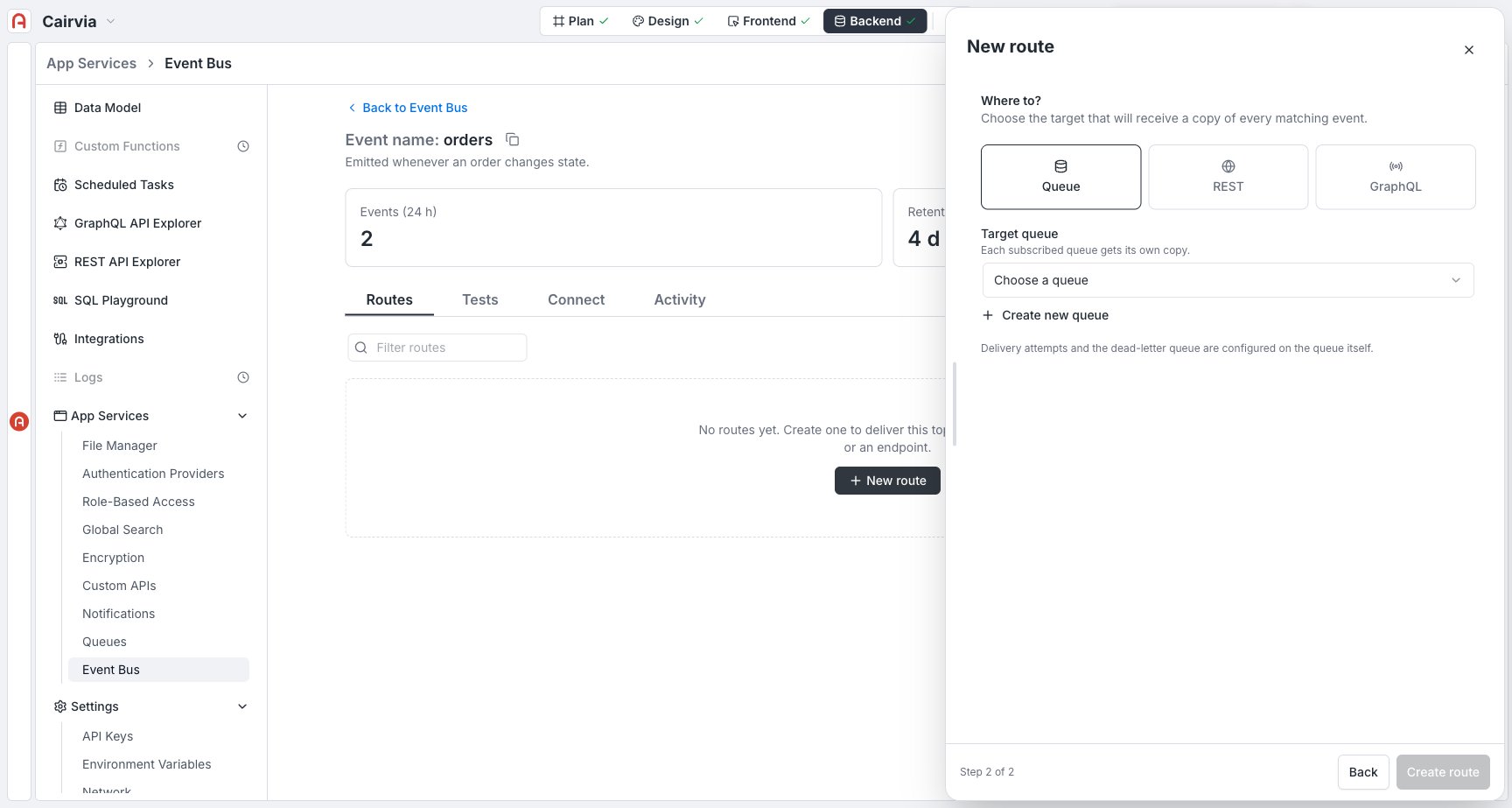 Deliver each matching event into one of your existing queues (or create one inline), to be processed by a worker in the background.
Deliver to an **external** HTTPS endpoint you own. Internal delivery to your own REST API isn't available yet — that option is shown but disabled ("coming soon").
Deliver to **your own project's** GraphQL API (the default), or to an external GraphQL endpoint with a mutation template you write.
#### Target: Queue
Select one of your existing queues in the same environment (or create one inline). Each routed queue receives its own copy of every matching event — this is the classic **fan-out then process** pattern covered in [Using them together](/docs/features/backend/app-services/queues-and-event-bus/using-them-together). Delivery attempts and the dead-letter queue for this path are configured on the queue itself, not on the route.
#### Target: REST
REST routes currently deliver to an **external** service only — "My archie-core API" is shown as an option but disabled while that path is built. You provide:
* **Endpoint URL** — must be HTTPS and publicly reachable. It can include dynamic parameters filled in from each event's payload at delivery time — `{field}`, `[field]`, and `:field` are all replaced by the matching top-level field. For example `https://api.partner.com/orders/{orderId}/status` with payload `{ "orderId": 42 }` delivers to `…/orders/42/status`.
* **Method** — `POST` (default), or another verb from the dropdown.
* **Signing secret (HMAC)** — generated automatically when you save and shown **once**; used to sign every delivery (HMAC-SHA256) so your receiver can verify it came from Archie.
* **Token / API key (optional)** — sent as `Authorization` if your endpoint needs it.
* **Custom headers** — additional name/value pairs sent on every delivery, encrypted at rest; only the names are shown afterward.
* **Delivery attempts** — 1–20, per route. Once exhausted, the event is parked in **this route's own dead-letter queue** — each endpoint route has one, separate from any queue's.
#### Target: GraphQL
Choose **where it runs**:
* **My archie-core API (internal, default)** — search-select an existing **mutation** from your project's own schema (the same one the [GraphQL API Explorer](/docs/features/backend/graphql-api-explorer/overview) uses) instead of writing one by hand. You still provide a **Token / API key**, used as the `Authorization` for that mutation call — internal delivery is not secret-free, unlike a queue target.
* **External endpoint** — deliver to a GraphQL endpoint you don't own. You write the **mutation** yourself; each event field arrives as a `$` variable, and `$event` (full payload) and `$payload` (event + metadata) are also available. The endpoint URL, signing secret, optional token, and delivery attempts work the same way as the REST target.
Deliver each matching event into one of your existing queues (or create one inline), to be processed by a worker in the background.
Deliver to an **external** HTTPS endpoint you own. Internal delivery to your own REST API isn't available yet — that option is shown but disabled ("coming soon").
Deliver to **your own project's** GraphQL API (the default), or to an external GraphQL endpoint with a mutation template you write.
#### Target: Queue
Select one of your existing queues in the same environment (or create one inline). Each routed queue receives its own copy of every matching event — this is the classic **fan-out then process** pattern covered in [Using them together](/docs/features/backend/app-services/queues-and-event-bus/using-them-together). Delivery attempts and the dead-letter queue for this path are configured on the queue itself, not on the route.
#### Target: REST
REST routes currently deliver to an **external** service only — "My archie-core API" is shown as an option but disabled while that path is built. You provide:
* **Endpoint URL** — must be HTTPS and publicly reachable. It can include dynamic parameters filled in from each event's payload at delivery time — `{field}`, `[field]`, and `:field` are all replaced by the matching top-level field. For example `https://api.partner.com/orders/{orderId}/status` with payload `{ "orderId": 42 }` delivers to `…/orders/42/status`.
* **Method** — `POST` (default), or another verb from the dropdown.
* **Signing secret (HMAC)** — generated automatically when you save and shown **once**; used to sign every delivery (HMAC-SHA256) so your receiver can verify it came from Archie.
* **Token / API key (optional)** — sent as `Authorization` if your endpoint needs it.
* **Custom headers** — additional name/value pairs sent on every delivery, encrypted at rest; only the names are shown afterward.
* **Delivery attempts** — 1–20, per route. Once exhausted, the event is parked in **this route's own dead-letter queue** — each endpoint route has one, separate from any queue's.
#### Target: GraphQL
Choose **where it runs**:
* **My archie-core API (internal, default)** — search-select an existing **mutation** from your project's own schema (the same one the [GraphQL API Explorer](/docs/features/backend/graphql-api-explorer/overview) uses) instead of writing one by hand. You still provide a **Token / API key**, used as the `Authorization` for that mutation call — internal delivery is not secret-free, unlike a queue target.
* **External endpoint** — deliver to a GraphQL endpoint you don't own. You write the **mutation** yourself; each event field arrives as a `$` variable, and `$event` (full payload) and `$payload` (event + metadata) are also available. The endpoint URL, signing secret, optional token, and delivery attempts work the same way as the REST target.
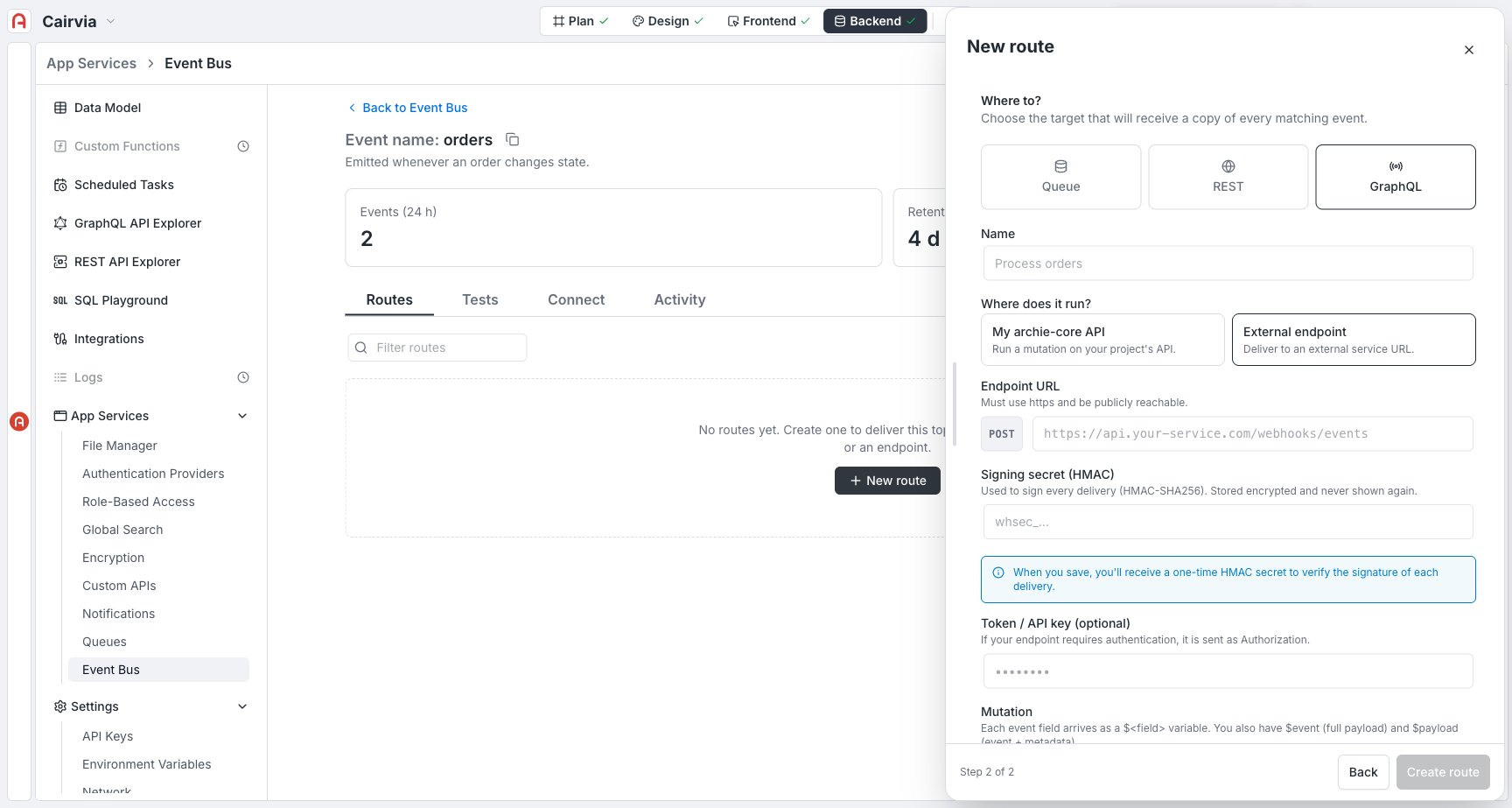 The external signing secret is displayed **only at creation time**. If you lose it, rotate it by recreating the route. Verify the signature on your side before trusting a delivery.
## The routes list
Each topic's **Routes** tab lists every route with its filter, type, target, delivery-attempts setting, and an **Active** toggle plus a delete action:
The external signing secret is displayed **only at creation time**. If you lose it, rotate it by recreating the route. Verify the signature on your side before trusting a delivery.
## The routes list
Each topic's **Routes** tab lists every route with its filter, type, target, delivery-attempts setting, and an **Active** toggle plus a delete action:
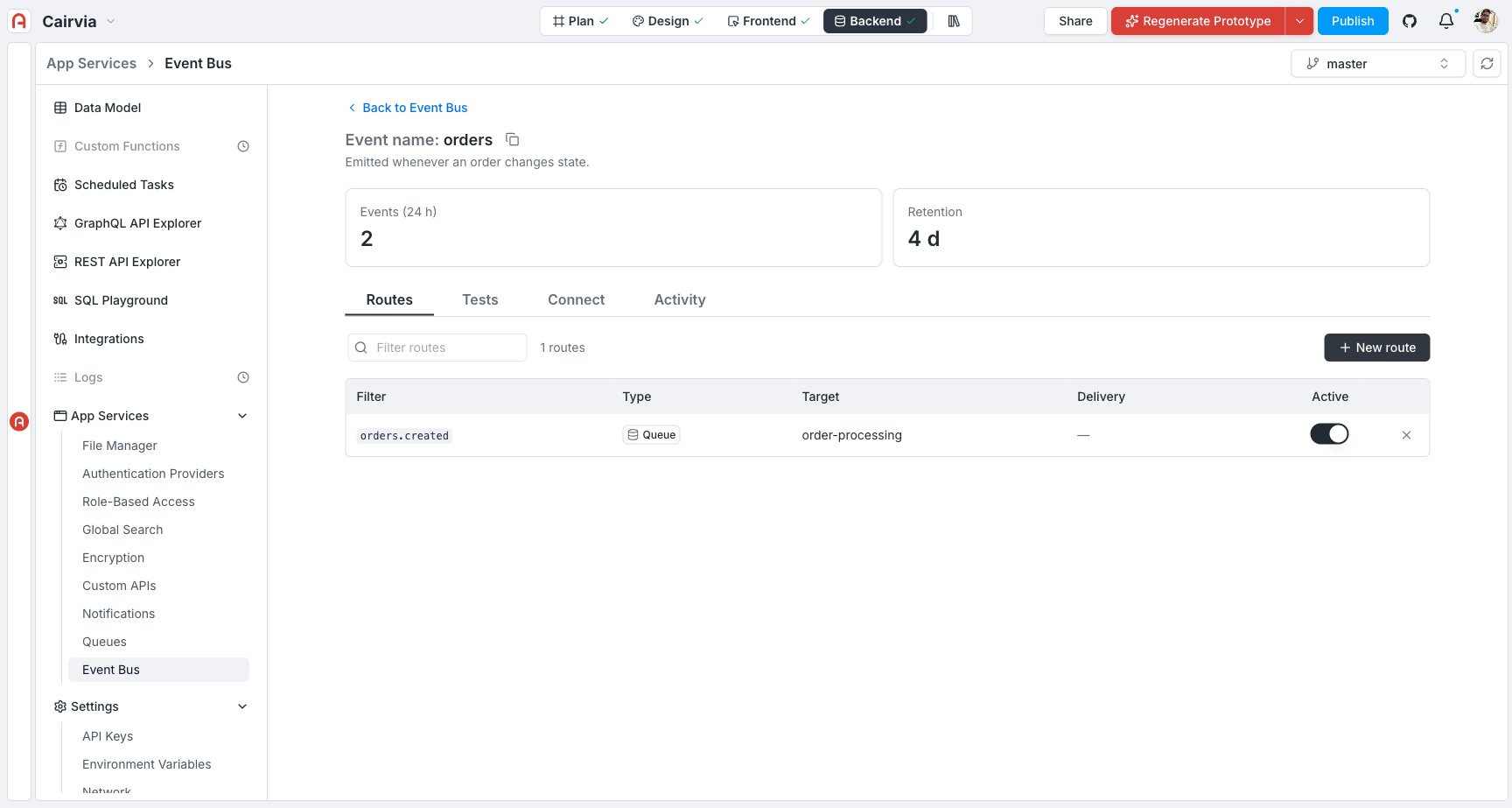 | Column | What it shows |
| ------------ | -------------------------------------------------------------------------------------------------------------------- |
| **Filter** | The event type or pattern this route matches. |
| **Type** | The target kind — Queue, REST, or GraphQL. |
| **Target** | The queue name or endpoint the route delivers to. |
| **Delivery** | Delivery attempts for endpoint routes; `—` for queue routes (configured on the queue instead). |
| **Active** | Pause or resume delivery without deleting the route. Paused routes stop receiving new events until switched back on. |
## Publish a test event
The **Tests** tab lets you fire an event by hand to see the whole chain work end to end:
| Column | What it shows |
| ------------ | -------------------------------------------------------------------------------------------------------------------- |
| **Filter** | The event type or pattern this route matches. |
| **Type** | The target kind — Queue, REST, or GraphQL. |
| **Target** | The queue name or endpoint the route delivers to. |
| **Delivery** | Delivery attempts for endpoint routes; `—` for queue routes (configured on the queue instead). |
| **Active** | Pause or resume delivery without deleting the route. Paused routes stop receiving new events until switched back on. |
## Publish a test event
The **Tests** tab lets you fire an event by hand to see the whole chain work end to end:
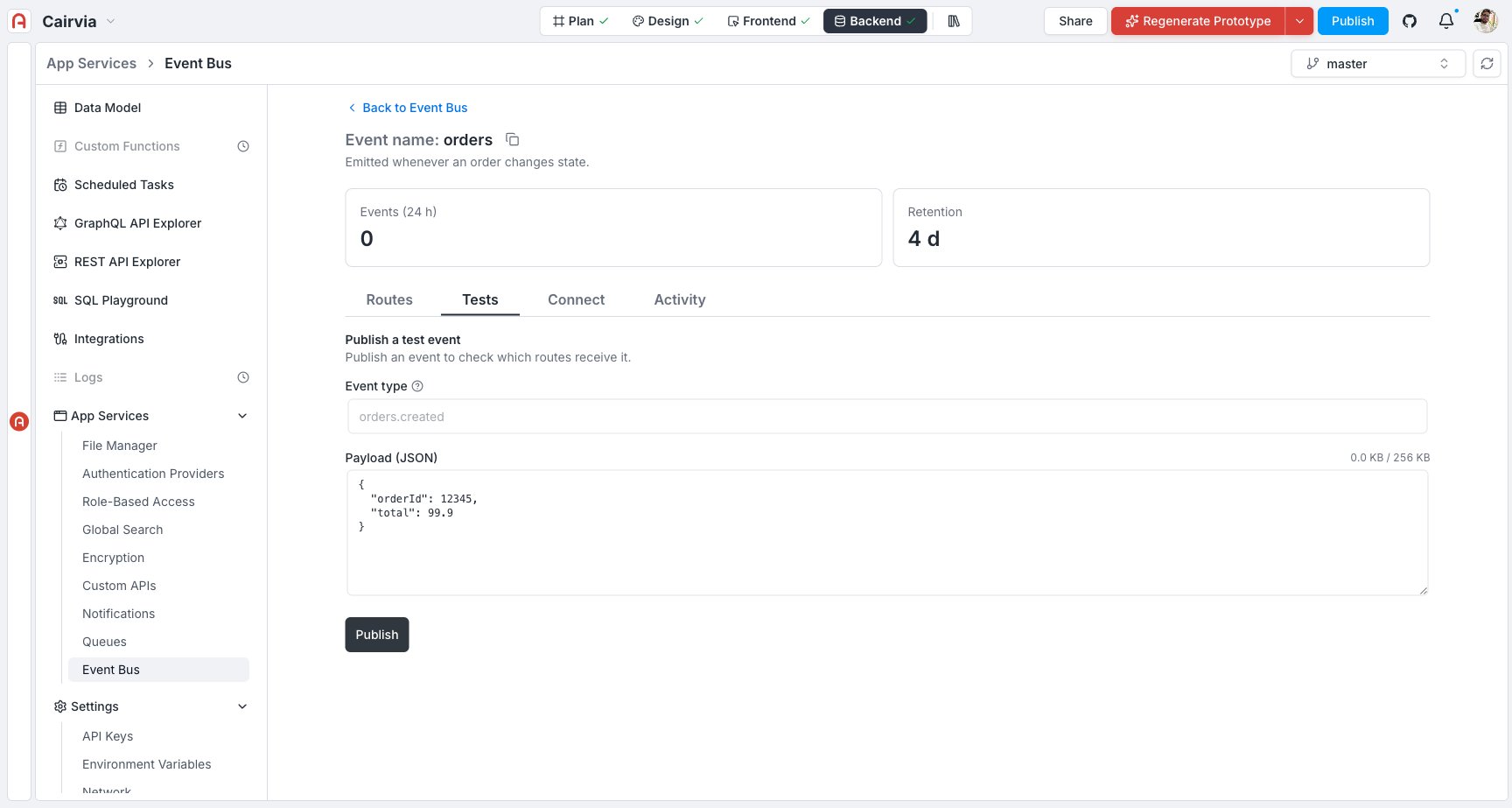 Type an event type, e.g., `orders.created`.
Provide a JSON payload in the editor.
Click **Publish**. Archie confirms with the message ID once it's accepted — check the routes it should reach (a queue's Pending count, or the **Activity** tab for endpoint targets) to confirm delivery.
## Connect your app to a topic
The **Connect** tab gives you the GraphQL endpoint and a ready-to-paste snippet for publishing from your own code — the same pattern as a queue's connect panel, with **GraphQL** as the default tab and **REST (curl)** as the second:
Type an event type, e.g., `orders.created`.
Provide a JSON payload in the editor.
Click **Publish**. Archie confirms with the message ID once it's accepted — check the routes it should reach (a queue's Pending count, or the **Activity** tab for endpoint targets) to confirm delivery.
## Connect your app to a topic
The **Connect** tab gives you the GraphQL endpoint and a ready-to-paste snippet for publishing from your own code — the same pattern as a queue's connect panel, with **GraphQL** as the default tab and **REST (curl)** as the second:
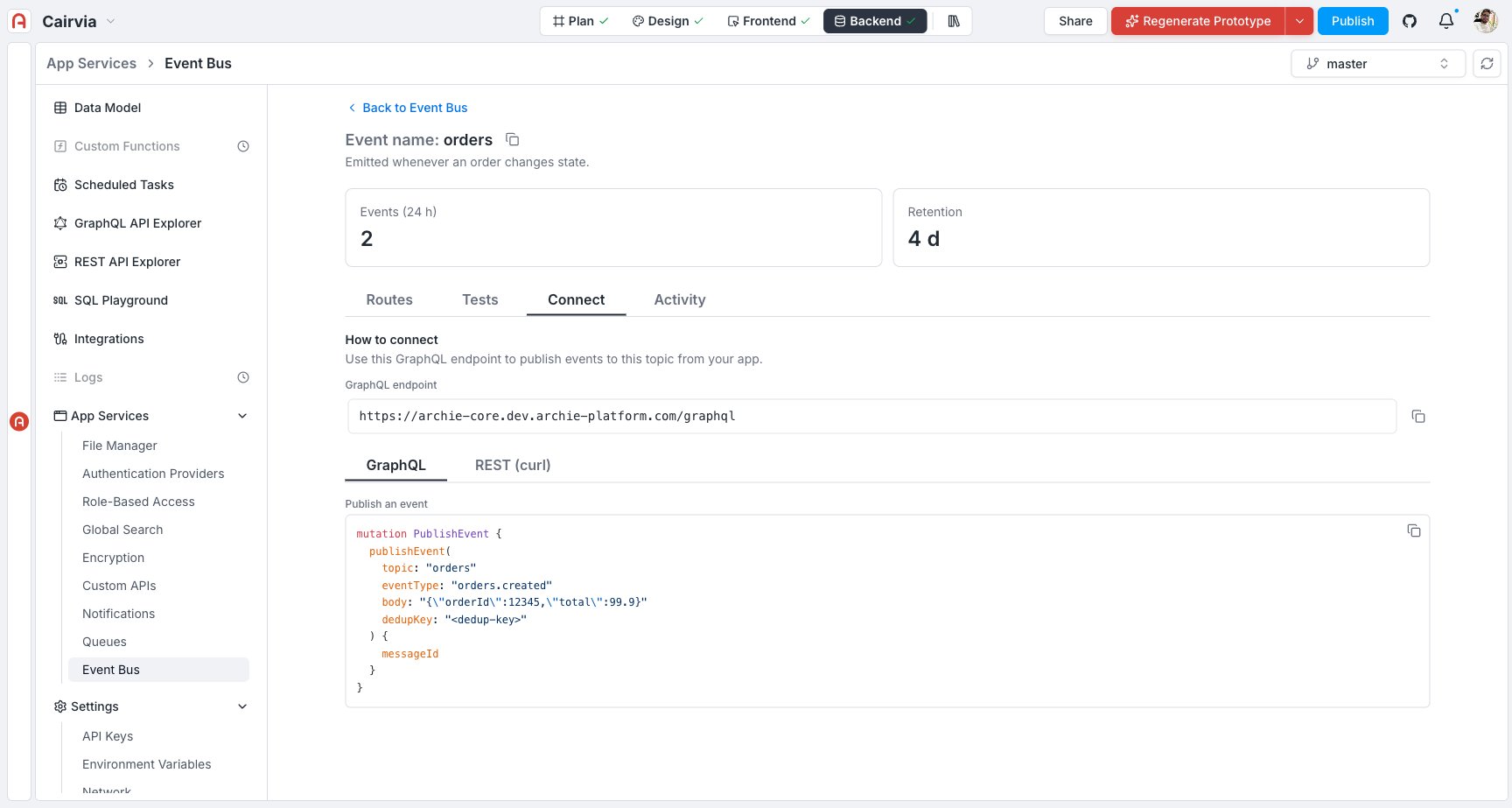 ```graphql theme={null}
mutation {
publishEvent(
topic: "orders"
eventType: "orders.created"
body: "{\"orderId\":\"A-1024\",\"total\":51.25}"
# dedupKey: "order-A-1024" # optional: suppress duplicates
) {
messageId
}
}
```
## Watch deliveries in Activity
The **Activity** tab is your audit trail of what actually happened for **endpoint** routes (REST and GraphQL). Queue routes don't produce delivery rows here — instead, watch the **Pending** count and error list on the destination [queue](/docs/features/backend/app-services/queues-and-event-bus/queues).
```graphql theme={null}
mutation {
publishEvent(
topic: "orders"
eventType: "orders.created"
body: "{\"orderId\":\"A-1024\",\"total\":51.25}"
# dedupKey: "order-A-1024" # optional: suppress duplicates
) {
messageId
}
}
```
## Watch deliveries in Activity
The **Activity** tab is your audit trail of what actually happened for **endpoint** routes (REST and GraphQL). Queue routes don't produce delivery rows here — instead, watch the **Pending** count and error list on the destination [queue](/docs/features/backend/app-services/queues-and-event-bus/queues).
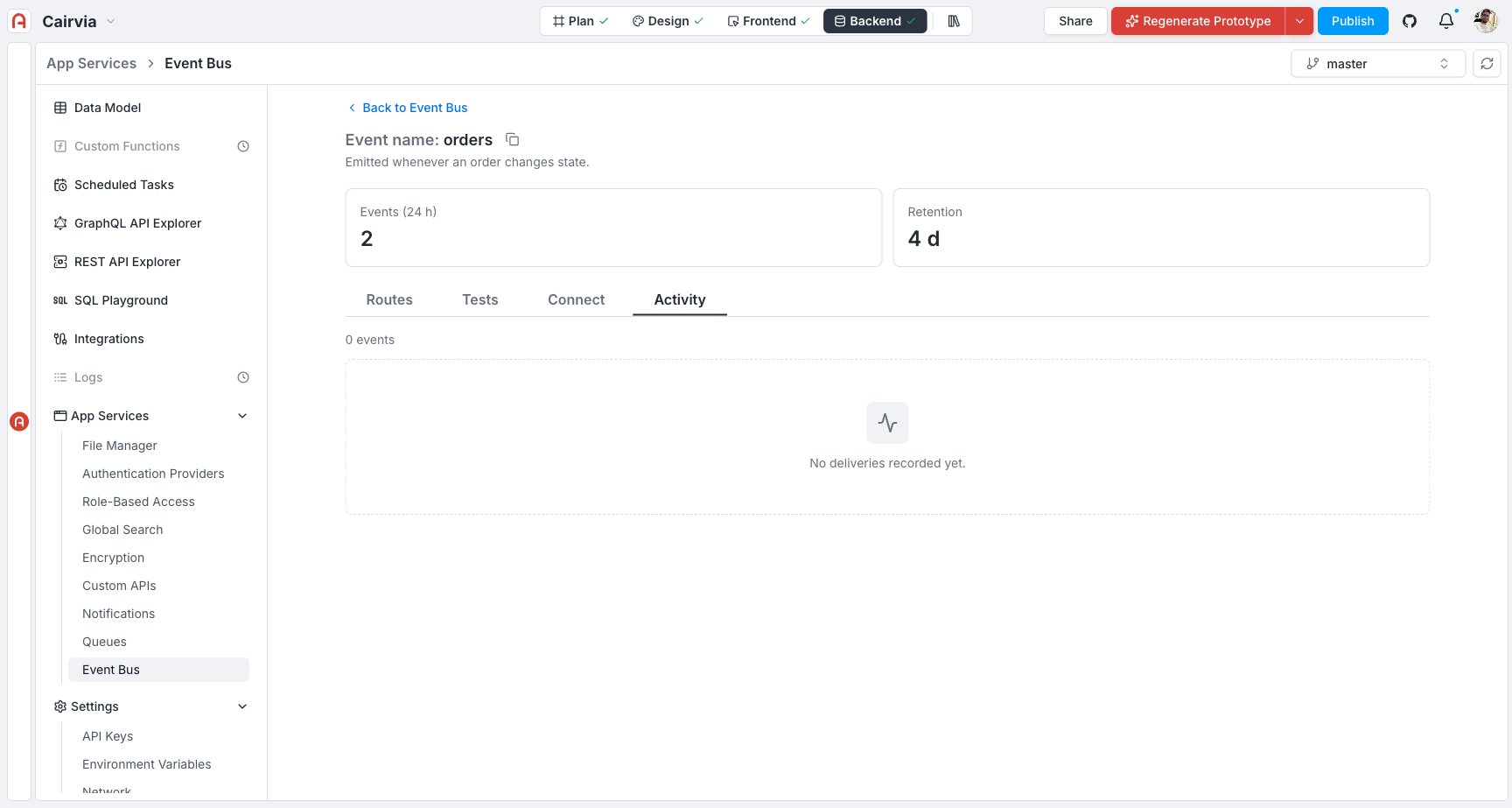 Once a REST or GraphQL route has delivered at least once, this tab fills in with the delivery history — the event, the status returned, and how many attempts it took. Retried automatically with increasing back-off; exhausted deliveries land in that route's own dead-letter queue.
## Common questions
A **topic** is the channel (e.g., `orders`). An **event type** is the specific thing that happened on it (e.g., `orders.created`). Routes filter by event type within a topic.
Each matching route gets its **own copy**, delivered independently. If one route is slow or failing, the others are unaffected.
Use **GraphQL → My archie-core API** when the reaction is a write in your own project — no URL to manage, though you still need a token. Use an **external endpoint** (REST or GraphQL) when you're notifying a system outside Archie that you own. Note that REST currently only supports external delivery; internal REST delivery is coming.
Open **Activity** and read the status codes for that route (endpoint routes only — queue routes show their health on the queue itself). A `4xx` usually means the target rejected the request (auth, validation); a `5xx` or timeout usually means the target was unavailable. Fix the cause; the route retries automatically up to its configured delivery attempts.
Yes — switch its **Active** toggle off in the Routes list. It stops receiving new events and keeps its configuration and history; switch it back on to resume.
## Next
Fan an event out to several queues and process each copy in the background.
Operations, limits, statuses, and troubleshooting.
Once a REST or GraphQL route has delivered at least once, this tab fills in with the delivery history — the event, the status returned, and how many attempts it took. Retried automatically with increasing back-off; exhausted deliveries land in that route's own dead-letter queue.
## Common questions
A **topic** is the channel (e.g., `orders`). An **event type** is the specific thing that happened on it (e.g., `orders.created`). Routes filter by event type within a topic.
Each matching route gets its **own copy**, delivered independently. If one route is slow or failing, the others are unaffected.
Use **GraphQL → My archie-core API** when the reaction is a write in your own project — no URL to manage, though you still need a token. Use an **external endpoint** (REST or GraphQL) when you're notifying a system outside Archie that you own. Note that REST currently only supports external delivery; internal REST delivery is coming.
Open **Activity** and read the status codes for that route (endpoint routes only — queue routes show their health on the queue itself). A `4xx` usually means the target rejected the request (auth, validation); a `5xx` or timeout usually means the target was unavailable. Fix the cause; the route retries automatically up to its configured delivery attempts.
Yes — switch its **Active** toggle off in the Routes list. It stops receiving new events and keeps its configuration and history; switch it back on to resume.
## Next
Fan an event out to several queues and process each copy in the background.
Operations, limits, statuses, and troubleshooting.