

DRAFT, PUBLISHED, ARCHIVED separately on every field that needs those statuses, you create one post_status_enum Data Type and reference it wherever it’s needed.
When you update a Data Type, every field that uses it inherits the change.
When to use a Data Type
Use a Data Type when the same list of values needs to stay consistent across multiple fields or tables:- A
status_enumshared byposts.status,comments.status, andpages.status - A
priority_enumshared across every table that has a priority column - A
currency_enumshared byorders.currency,invoices.currency, andpayments.currency
Creating a Data Type
1
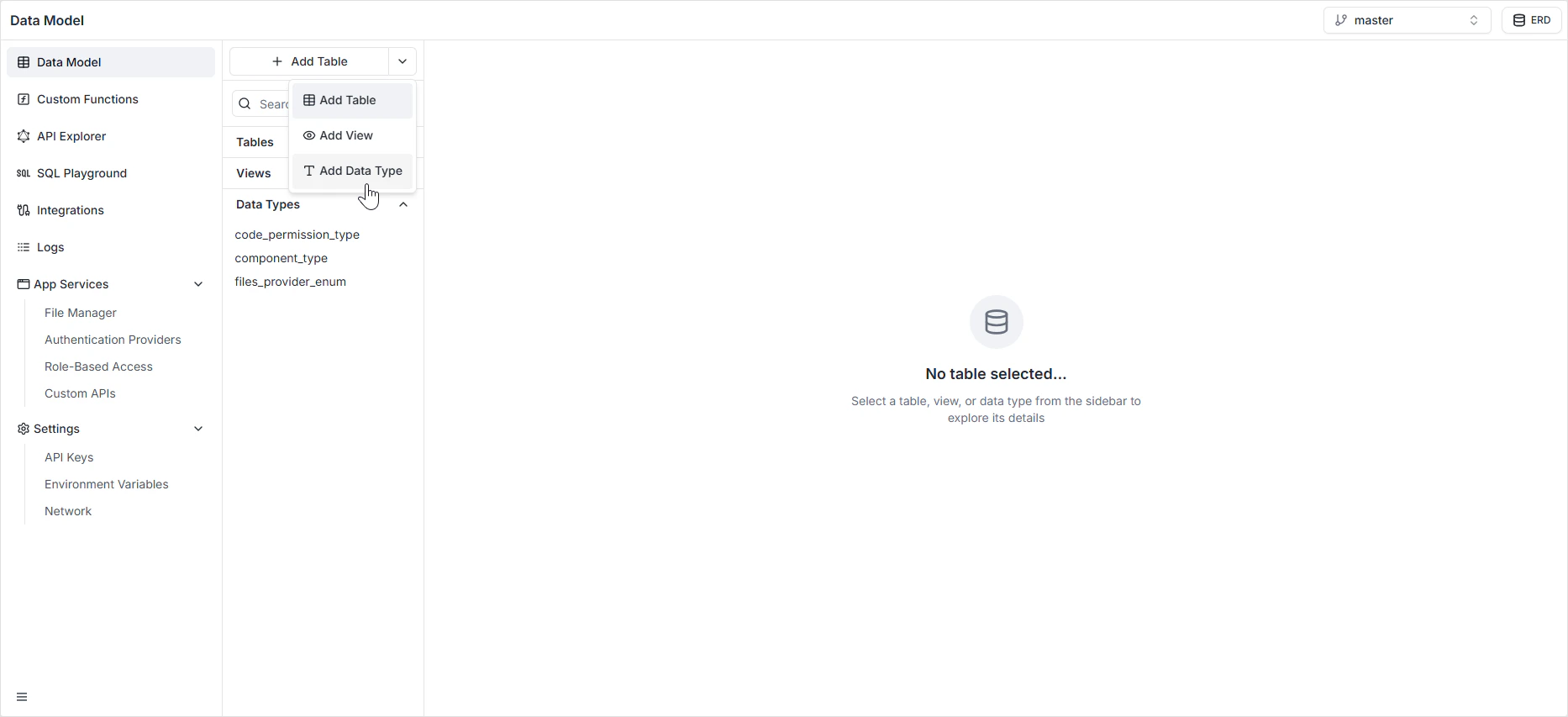
Open the Data Model sidebar
Find the + Add Table button at the top of the sidebar.
2
Open the dropdown
Click the dropdown arrow next to + Add Table.
3
Choose Add Data Type
Select Add Data Type from the menu. The Data Type editor opens.
4
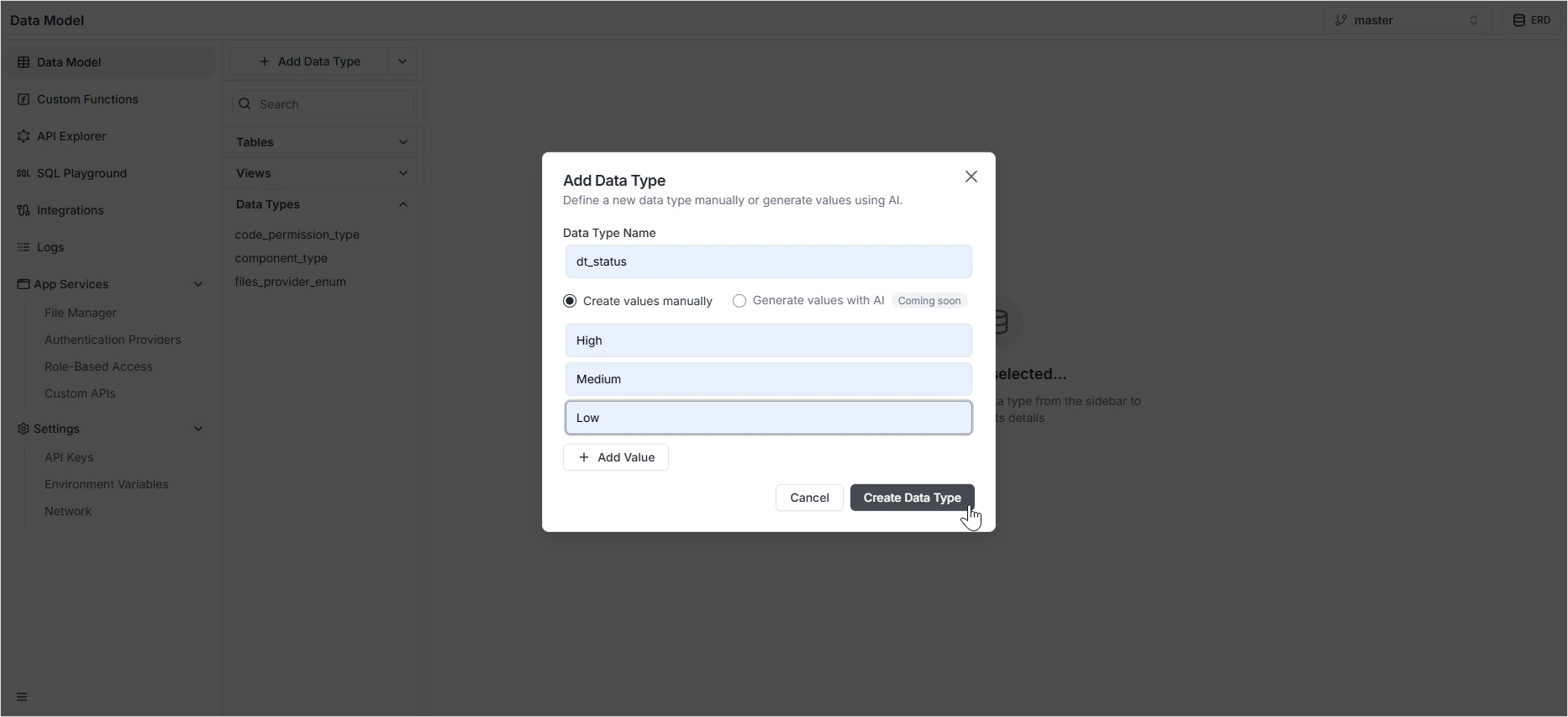
Name and describe
Give the Data Type a unique, lowercase identifier. The convention is to suffix the name with
_enum (for example, course_status_enum) so it’s clear at a glance what it is.5
Add values
Enter the allowed values in upper snake case (for example,
IN_PROGRESS, COMPLETED). Add as many rows as you need.6
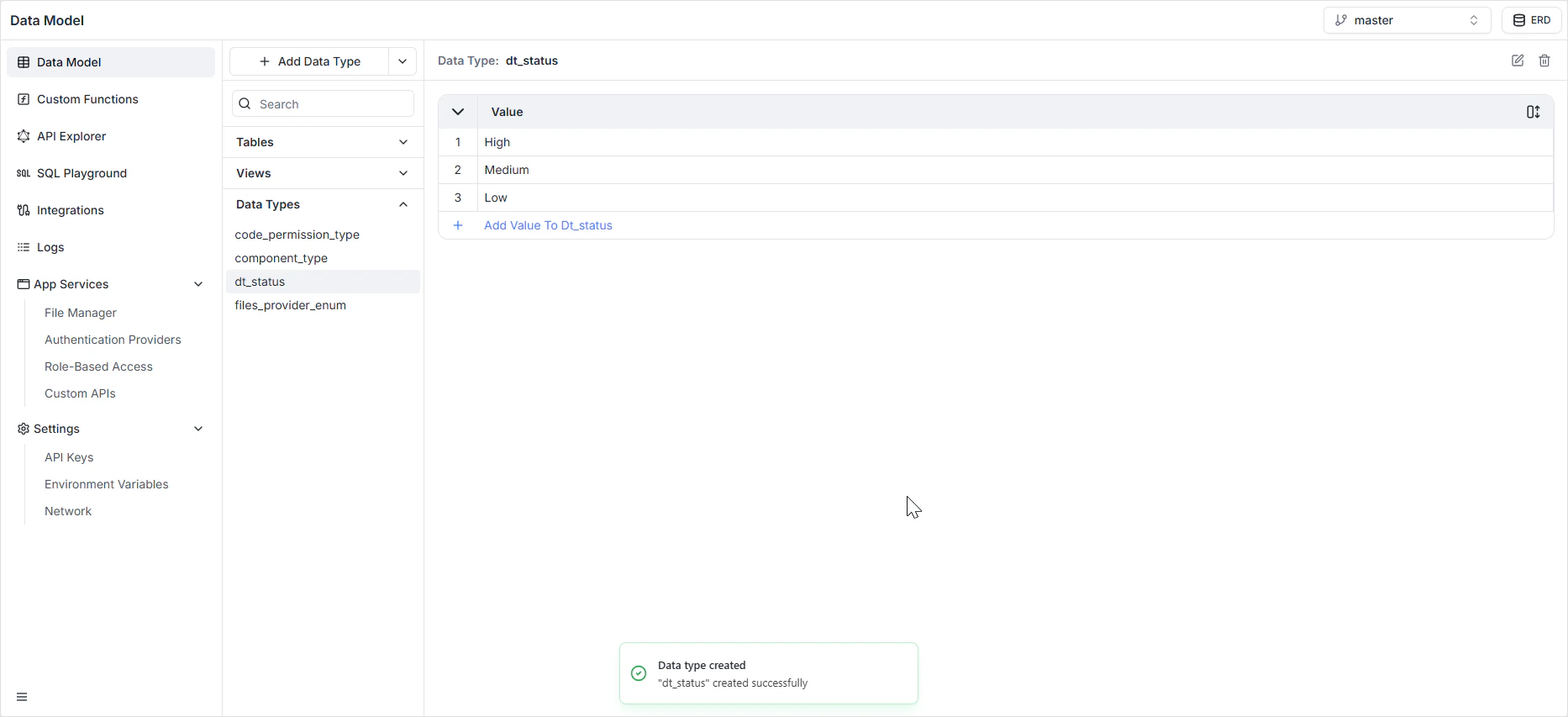
Save
The Data Type appears in the Data Types section of the sidebar and becomes available to any user-defined field.
Applying a Data Type to a field
On any table’s Schema tab, add a user-defined field and pick the Data Type from the Enum Type dropdown. The field will only accept values from that Data Type’s list.Examples
Why Data Types over inline enums
- Standardization — every field using
status_enumaccepts the exact same list of values, eliminating drift between tables. - Single source of truth — when business rules change, you update the Data Type once and every field that uses it is updated.
- Predictable APIs — the GraphQL schema exposes one shared enum type instead of many lookalike ones.
How it appears in the API
The Data Type is generated as a single enum type in the GraphQL schema. Every field that uses it gets the same typed value, with autocompletion and validation on the client. See the GraphQL API Explorer to inspect the generated types.Permissions
Data Types are not access-controlled — they’re shape definitions. Read and write access to fields that use them is governed in Role-Based Access.FAQ
What happens if I add a value to a Data Type?
What happens if I add a value to a Data Type?
Every field using the Data Type immediately accepts the new value. Existing rows are untouched. This is safe and the most common kind of change.
What happens if I remove a value?
What happens if I remove a value?
Any rows that still hold the removed value will fail validation on update. Migrate affected rows to a different value before removing it from the Data Type.
Can I rename a value?
Can I rename a value?
Renaming changes the Data Type but does not rewrite existing rows. Update affected rows to the new value after renaming.
Can I convert an inline enum into a reusable Data Type later?
Can I convert an inline enum into a reusable Data Type later?
Yes. Create the Data Type with the same values, then change the field’s type from inline enum to user-defined and pick the new Data Type. Existing values that match carry over.