

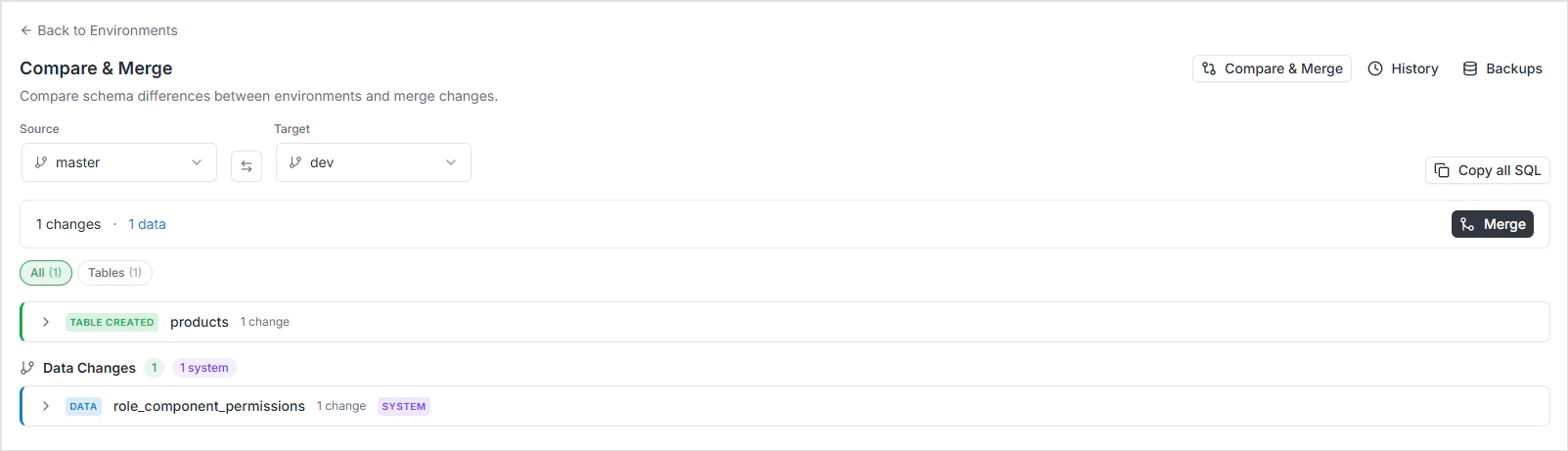
How the diff works
Three stages, all server-side:Forward-only semantics
The engine compares source against target asymmetrically. Specifically:- Objects in source but not target → shown as
CREATED. They need to be created in the target. - Objects in both → compared field by field. Differences are flagged as modifications.
- Objects only in target → not shown as
DROPPED.
TABLE_DROPPED would suggest an intentional drop happened in the source. The diff focuses on changes that originated in the source and need to flow to the target.
Exception — for column-level changes within a table that exists in both environments, COLUMN_DROPPED is detected, because that’s an actual column-removal operation performed on the source.
Change types
*Type narrowing (
text → varchar(50), int8 → int4) is breaking — it can lose data. Type widening (varchar → text) is safe.
TABLE_DROPPED, ENUM_DROPPED, and VIEW_DROPPED aren’t generated at the top level — see forward-only semantics above.
Cherry-pick selection
The diff view supports selecting individual changes for a subsequent merge:- Tick or untick each change individually.
- Use the group checkbox on a table to select or deselect all changes for that table at once.
- Breaking changes are not pre-selected by default. You have to explicitly opt in to drops, type narrowing, and enum-value removals — protection against accidental data loss.
Reading the diff output
Each entry in the diff has these fields:Use cases
Running the diff via GraphQL
summary block is a quick at-a-glance view; changes carries the detail.
FAQ
Why doesn't the diff show TABLE_DROPPED at the top level?
Why doesn't the diff show TABLE_DROPPED at the top level?
Forward-only semantics. A table that exists only in the target was never in the source, so describing it as “dropped” would be misleading. Drops are surfaced at the column level only, where they reflect an actual removal that happened in the source.
What does 'breaking' mean exactly?
What does 'breaking' mean exactly?
A change that may cause data loss or break consumers of the API. Drops, narrowing type changes, removing enum values, and removing relationships are flagged as breaking. They’re never pre-selected for merge — you have to opt in.
Can I diff three environments at once?
Can I diff three environments at once?
The diff is pairwise. To compare three environments, run two diffs and reconcile. Most workflows compare a feature branch against
staging and staging against master independently.Does the diff include data, or just schema?
Does the diff include data, or just schema?
Schema only — tables, columns, indexes, enums, views, relationships. Data differences aren’t surfaced; the diff is about structural drift, not row counts.
What happens if I diff during a branching or merging operation?
What happens if I diff during a branching or merging operation?
Both environments must be in
active status. Diffs against environments in branching, merging, or error state are rejected — the schemas may not be in a consistent state to compare.